Search

Custom Search
0

Jailbreak iOS 4.0 – Complete How to Guide

Monday, June 28, 2010.
We did inform you about PwnageTool bundles which were released yesterday to jailbreak iPhone 3GS on iOS 4.0 (formerly iPhone OS 4), while preserving your baseband on the older 05.11.07 or 04.26.08 so that you can unlock it using ultrasn0w or blacksn0w. We got lots requests via twitter, facebook and email for full instructions on how to patch the existing version of PwnageTool so that it can work with iOS 4.0 GM release. And so here are the complete set of instructions for you to get it to work.
[Important Update: Final version of this guide for iPhone 3GS with PwnageTool is posted here. For iPhone 3G and iPod touch 2G, use Redsn0w guide posted here.]
iOS 4.0 Jailbreak
Warning / Note: Perform the following instructions at your own risk only. I am not responsible if you end up bricking or locking your phone. Only proceed if you are an advanced user, and know what you are doing. Otherwise, wait for the official tools which would be out soon.
Supported Device(s):
iPhone 3GS ONLY, with older bootrom which has at least been jailbroken once with either redsn0w, PwnageTool, Blackra1n or Sn0wbreeze. If your phone is one of those with newer bootrom, and has only been jailbroken with Spirit, this is not for you. You will end up getting 1600/1604 error when restoring the custom cooked firmware via iTunes.
What is working and what isn’t?
I have tested it and it worked for me. But since I don’t rely on an unlock, I couldn’t test the ultrasn0w or blacksn0w part. Of all the reports that I have got from various testers, I can confirm that this method will preserve your baseband, but ultrasn0w or blacksn0w unlock wont work now as they need an update for iOS 4. So if you rely on an unlock, I will suggest you stay away from this, but if you desperately want to jailbreak your device, you can do it now while preserving your baseband but you will only be able to unlock it once ultrasn0w update is released in approx. two weeks time.
Step 1: Download PwnageTool 3.1.5 from the download link given here.
Step 2: Download the latest version of PwnageTool Bundles from msft.guy here and then extract it to your desktop.
Step 3: Download iOS 4.0 for iPhone 3GS, and iTunes 9.2 Beta for Mac. You can get the official bits if you are a registered developer, or from different content sharing sites around the web. Please do not ask for the download links, a simple Google will do it all !
Step 4: Download the updated Cydia bits (data.tar file) from here.
Step 5: Copy PwnageTool that you downloaded in Step 1 to your desktop. Right click, and then click on “Show Package Contents” as shown in the screenshot below.
iOS 4 Jailbreak (1)
Step 6: Navigate to Contents/Resources/FirmwareBundles/ and paste iPhone2,1_4.0_8A293_bundle.bundle file in this location and then simply close this folder.
iOS 4 Jailbreak (2)
Step 7: Now navigate again to Contents/Resources/CustomPackages/CydiaInstaller.bundle/files/ and paste data.tar file (for Cydia) that you downloaded in Step 4.
Step 8: Start “Terminal” program on your Mac and run the following commands:
cd desktop
cd PwnageTool.app/Contents/Resources/CustomPackages/CydiaInstaller.bundle/files/
tar -xPvf data.tar
iOS 4 Jailbreak (4)
once you are done, close all the open windows.
Step 9: Now start this patched version of PwnageTool, Select iPhone 3GS as your device and you will now notice that PwnageTool will automatically detect iOS 4 firmware file as shown in the screenshot below.
iOS 4 Jailbreak (3)
Step 10: Simply follow Step 5 to Step 7 posted here to create a custom-cooked iOS 4 firmware file which will preserve your old baseband.
Step 11: Once the .ipsw file has been created, you will now have to restore your iPhone to this custom firmware 4.0 that you just cooked using PwnageTool 3.1.5 for your iPhone 3GS. Start iTunes 9.2 Beta, Click on your phone icon from the sidebar in iTunes. Now press and hold left “alt” (option) button on the keyboard and then click on “Restore” (Not “Update” or “Check for Update”) button in the iTunes and then release this button.
This will make iTunes prompt you to select the location for your custom firmware 4.0. Select that custom .ipsw file and click on “Open”.
Step 12: Now sit back and enjoy as iTunes does the rest for you. This will involve a series of automated steps. Be patient at this stage and don’t do anything silly. Just wait while iTunes installs the new firmware 4.0 on your iPhone. Your iPhone screen at this point will be showing a progress bar indicating installation progress. After the installation is done, iPhone will restart automatically and you should now have a fully jailbroken iPhone 3GS running on iOS 4.0.

UPDATE 1: There were some errors in the post above which I have now fixed. Thanks to everyone for pointing it out in the comments.
Read more...
0

Unlock for iPhone 3GS on iOS 4 Released !

The official ultrasn0w unlock has been released by iPhone Dev Team for iPhone 3GS, with older bootrom running 04.26.08 baseband on iOS 4.0 (formerly iPhone OS 4). For those of you who preserved their baseband by jailbreaking iPhone 3GS on iOS 4 using PwnageTool can now unlock, provided that your phone is running the older 04.26.08 baseband.
iOS 
4.0 Unlock
Note: As mentioned above, this is strictly for iPhone 3GS on iOS 4.0, with 04.26.08 baseband only. If you are on 05.11.07 baseband, then you need to use blacksn0w RC2, the guide for which is posted here. If you are on 05.12.01 baseband, you will need to wait for the end of June to get your phone unlocked.
How to: Jailbreak iPhone 3GS on iOS 4:
Step 1:
Follow the complete guide posted here to jailbreak your iPhone 3GS using PwnageTool bundles on iPhone firmware 4.0.
How to: Unlock iPhone 3GS 04.26.08 Baseband on iOS 4:
Step 2:
Once you are done with the jailbreak, you can now unlock your iPhone 3GS running custom iOS 4.0 firmware by using ultrasn0w 0.92.1 from Cydia. To do this:
  • Start “Cydia” on your iPhone.
  • Touch on “Manage” tab on the bottom.
  • Now touch on “Sources” as seen in the screenshot below:
Unlock iOS 4.0
  • Touch on “Edit” and then on “Add”. You will be prompted to enter a url source as seen in the screenshot below. Type “http://ios4.ultrasn0w.org” and touch on “Add Source”.
Unlock iOs 4.0 Ultrasn0w (1)
Cydia will now automatically update your sources by following a series of automated steps.
  • After installation is completed. Search for “ultrasn0w 0.92” in Cydia and install this application. This app will automatically unlock your iPhone 3GS so that you can use it with any carrier.
Unlock iOs 4.0 Ultrasn0w (2)
Step 3: Now simply restart your iPhone and voila! you should now have a fully unlocked iPhone 3GS, on iOS 4. Enjoy...!!
Read more...
0

Download Apple IPhone Firmware Links

Saturday, June 26, 2010.
Whenever you upgrade your Apple iPhone or want to restore back to the previous version you will be asked to select the correct .ipsw file and for this stuff you need to have the right copy of the file available. In this post you will be able to find a list of different download links which can be directly used to download the correct Firmware file for the device you own. You need to find out the version of your device through the General Settings option and then proceed towards the restore of the same.
Read more...
0

Fix iPhone 4 Reception Problem with i OS 4.0.1 / 4.1

There have been numerous reports claiming that the iPhone 4 has reception issues and the signals are dropping when someone holds the device with their hands. Apple had launched the new iPhone4 with a list of features which not even Gizmodo would expect including the Retina Display, Large Antenna on the back which means that the complete back section of the device would work as the antenna and save up the overall space but still there are issues with this.
Hold iPhone Device Correctly

The problem is that when someone holds the iPhone near the metal antenna then the reception goes to zero displaying no bars even though when the handset is in connectivity zone. There are different tests done by people by holiding it with one finger, one on the glass and one on the metal and comparing results, which finally show that there is some real fault going on and which does not seem to be a hardware issue.
Apple would hopefully fix this issue with the next iOS4 update either in iOS 4.0.1 or iOS 4.1 version and make sure that the reception is not impacted in any way you handle the device. Its predicted that human touch can interfere with the antenna because its outside of the photo and this is a normal issue like the Yellow Spot Display Problem.
Read more...
0

IPhone 3gs Vs 4G comparison

Thursday, June 24, 2010.

The next generation iPhone, also known as iPhone 4G, has been leaked and many of its features and specs have been revealed. The battery life is reported to increase by 16%, and there are also some design improvements. Below is a tabular comparing iPhone 4G with its predecessor. As the phone is not released officially so there is no certain word on remaining hardware specs. I will update the comparison when the phone gets official.


iphone-3gs-vs-iphone-4
The screen size of iPhone 4G appears to be slightly smaller than iPhone 3GS but has more resolution. Moreover, Apple has completely changed the design of the device; instead of curved design having plastic casing the new iPhone
has flat back and aluminum strip on sides. All the buttons like volume, power and mute are metallic.


Comparison of Features and Functions

The key features of the iPhone 4 are compared with the iPhone 3GS.http://www.apple.com/iphone/specs.html6 http://www.gsmarena.com/apple_iphone_3gs-2826.php7

Feature iPhone 3GS iPhone 4
Weight 135g 137g (4.8 oz)
Dimensions 115.5 x 62.1 x 12.3 mm (4.50 X 2.4 X 0.48 inches) 115 X 59 X 9 mm (4.50 X 2.31 X 0.37 inches)
Display 320 x 480 pixels, 3.5 inches 960 x 640 pixels, 3.5 inches + Retina Display
Camera 3 megapixel auto-focus 5 megapixel auto-focus + front camera + LED Flash
Video VGA @ 30fps H.264 video up to 720p @ 30 fps
Talk Time Up to 5 hours 3G Up to 7 hours 3G
SIM Size Standard SIM Micro SIM

Pricing and availability of the iPhone 4 and iPhone 3GS in the US are compared below. Keep in mind that as of June 7th, AT&T (US provider) charges a $325 early termination fee on the two year contract.


Feature iPhone 3GS iPhone 4
Price (US) $99 with plan $199 - $299
Memory 8 GB (was 16/32 GB) 16 or 32 GB
iOS 4 Features Most All
Upgrade to iPhone 4? 30 days prior June 7 Up to 6 months end-of-contract
Tethering Yes $20/month Yes $20/month

Tethering on the iPhone 3GS and iPhone 4 (but not iPad) is allowed with the new AT&T data plans that took effect June 7th.http://www.product-reviews.net/2010/06/04/new-iphone-4g-no-ipad-tethering-say-att/8 


Read more...
0

Official IPhone 4 Launch Date & Prices

Tuesday, June 15, 2010.


iPhone 4 arrives June 24. Pre-order yours today.

Get your iPhone 4 on day one. Just select your model, then pre-order online or reserve for in-store pickup.

Free shipping from the Apple Online Store.

Pre-order your iPhone 4 from the Apple Online Store and we'll ship it free, directly to your door.
Pre-order now

Reserve and pick up at an Apple Retail Store.

Reserve your iPhone 4 at your favourite Apple Retail Store and when you come in to pick it up, we’ll get you up and running in minutes. Stores open at 8 am.Reserve now


Select your iPhone

iphone 3GS

iPhone 3GS

8GB1
£419.00
Ships: By June 24th
Free Shipping
Ships: By June 24th
Free Shipping
Free shipping 
 
iPhone 4

iPhone 3GS

16GB1
From £499
Ships: Delivers on June 24th
Free Shipping
32GB1
From £599
Ships: Delivers on June 24th
Free Shipping
White iPhone currently unavailable for pre-order.
Pre-order black iPhone now.
Free shipping
Read more...
0

Install Cracked Apps on Apple iPad or iPhone .IPA Files

Friday, June 11, 2010.
In this tutorial we are going to teach you how you can installed Cracked Applications on your Jailbroken Apple iPad or iPhone which are available in the form of .IPA Files. Apple does not allow you to install any Application directly into the iPad without the sync of iTunes, hence if you find some really useful apps and need to install them then this article can be useful to you. While this is also a useful tip for bloggers and developers who want to Test some apps which are available for paid in the iTunes App Store which these can be installed for free through this cracking system.
Installing AppSync App :
AppSync iPad Search iPad Cydia APT URL
  • To get started you need to first make sure that you Jailbreak iPad so that you get access to cydia.
  • Next you need to run the Cydia App which is installed in your iPad. It would take a few seconds before you can access it because it will be updating the databases and Downloading latest release and news on the main screen.
  • Tap on Manage > Sources and then Edit > Add option.
  • Now enter the URL – http://cydia.hackulo.us and hit “Add Source”, following which you will find a new box displaying a warning. Click on the ‘Add Anyway’ option and the Repo would be added to iPad after Updating Sources, tap on Return to Cydia.
  • Tap on the Search button from the main Cydia Screen and search for ‘AppSync for OS 3.2′
  • Install the AppSync for OS 3.2 App which is of around 275kb size. Once this is done, you need to completely exit the cydia App so that all the temporary files are removed.
Downloading & Setting up .ipa files
First you need to find a few cracked apps like excellent games which you would like to install from different websites on the Internet which can be found in the .IPA file extension. Double click on the cracked app’s ipad file and sync it with your device through iTunes.
Note : We did not install any cracked game on our iPad because its not recommended and this article is only useful to testers and developers who want to try out paid apps for free.
Read more...
0

How to Jailbreak iPhone 3GS on iOS4 – Pwnagetool

Thursday, June 10, 2010.

The new OS for iPhone and iPod touch is just released, i.e. the iOS4, and its still available only for developers right now as the official version is yet to go live. Till then, you can use the firmware in your iPhone 3G, iPhone 3GS and a team has successfully tried to jailbreak the iPhone 3GS with the iOS4 firmware, using the Pwnagetool. You too can try, if you are too eager and don’t want to wait for the official version to release. This firmware is the Golden Manager candidate which can be used by the developers. Still, you are doing it at your own risk, as the baseband preserving is not guaranteed fully.

Here are the steps to jailbreak the iPhone 3GS using iOS4 :
 
Download the following -
    Pwnage Mac DMG Installer
  • Jailbreak custom bundles for iPhone 3GS 4.0 GM
  • Pwnagetool for jailbreaking
  • redsn0w 0.9.5beta4
And make sure that your iTunes is updated to the latest version i.e. iTunes 9.2 Keep all the above contents at a single place, i.e. in any folder or on the desktop.
Right click on Pwnagetool.app and open “Show Package Contents” and then browse to the following location – Contents > Resources > Firmware Bundles – and at this location, copy the custom jailbreak bundles that you have downloaded.

Now right click on the Redsn0w.app and open “Show Package Contents” and browse to the following location – Contents > MacOS > and from here copy the Cydia.tar.gz to your desktop and extract its contents.
Apple Firmwire BundlesNow the cydia that you just extracted, have to be copied to Pwnagetool. Right click on Pwnagetool and open “Show Package Contents” and then browse to -
Contents > Resources > Custom Packages and here right click on ‘Cydiainstaller.bundle’ and hit “Show Package Contents” and hit the Files area, and here overwrite all the files from the ones you extracted from the redsn0w.app

Now, as the normal procedure is done to create the custom firmware, you will just have to open the Pwnagetool and make the custom firmware.
After the custom .ipsw file is created, you will have to replace and restore the iOS4 through your iTunes 9.2. Put the device in recovery mode and restore.
Note: Though few people reported that it was successful for them, still you are doing this procedure at your own risk. Not always the baseband is protected.

Apple ios4

Read more...
0

World’s Thinnest Smartphone IPhone 4

Wednesday, June 9, 2010.

Apple the makers of iPhone introduces its most awaited generation next device and world’s thinnest smart phone iPhone 4.

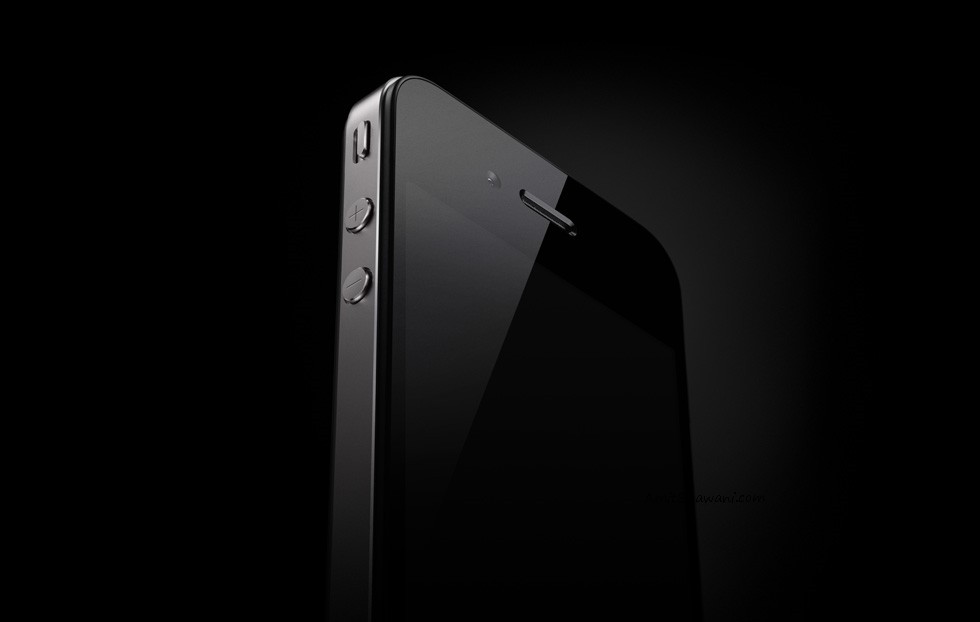
The iPhone 4 is sleeker and more advanced than the first iPhone. Like the iPhone 3GS, it comes in black or white, though it has a more angular look. Its front and back are covered with glass, and it is rimmed with stainless steel that acts as part of the antenna.

iPhone 4 comes with multitasking user interface allows its users to quickly switch between recently used apps. Just double-click the Home button to reveal your recently used apps. Scroll right to see more apps, then tap one to reopen it. No need to wait for the app to reload.

The iPhone 4 equipped with FaceTime, which makes the dream of video calling a reality earlier was not available in on iPhone, and Apple’s stunning new Retina display, the highest resolution display ever built into a phone, resulting in super crisp text, image, and video.

iPhone 4 is about three-eighths of an inch thick; the 3GS is nearly half an inch. It can shoot high-def video, catching up to some other smart phones. It has a gyroscope in addition to other sensors, to enable more advanced motion-sensing applications, such as games and mapping services.

The display on the smartphone remains 3.5 inches diagonally, but Jobs noted that it can show four times more pixels the individual coloured dots that make up an image as the previous screen. With its large Multi-Touch display and innovative software, iPhone lets you control everything using just your fingers. A panel laminated on the glass senses your touch using electrical fields. It can register multiple touches at once to support advanced gestures such as pinch to zoom, two-finger tap, and more. The panel then transmits the information to the Retina display below it.
 

 One of the most noticeable changes is the iPhone’s new camera on the front that can be used for video conferencing, in addition to a 5 Megapixel camera with LED flash, HD video recording. For now, the conferencing function, works only if both parties to the call have an iPhone 4 and on WiFi. And with its advanced backside illumination sensor, it captures beautiful images even in low-light settings. The built-in LED flash does double duty. When you’re taking pictures, it works as a flash. When you’re shooting video it can stay on to light up the scene. And on the front of iPhone 4, the built-in camera is perfect for making FaceTime calls and shooting self-portraits.
In addition Apple’s A4 processor, a 3-axis gyro, and up to 40 percent longer talk time — in a beautiful all-new design of glass and stainless steel that is the thinnest smartphone in the world. iPhone 4 comes with iOS 4, the newest version of the world’s most advanced mobile operating system, which includes over 100 new features and 1500 new APIs for developers.

The battery on the new iPhone 4 will allow up to seven hours of talk time – an improvement over five hours on the last model. It can handle up to six hours of Web browsing over cellular networks or 10 hours over WiFi. iPhone 4 will use Micro SIM, instead of a regular SIM card. This means none of your older SIM cards will work, However now a day most of operator providing the Micro SIM.

The iphone 4 will be available in the US at $199 (US) for the 16GB model and $299 (US) for the 32GB model. Prospective customers can pre-order their iPhone 4 beginning  June 15th from the Apple Online Store. Let me clear some myths overe here about the pricing stuff. When you read the above statement that Iphone is available for $199 or $299 just dont take it in literal sense as thats just the downpayment and the actual price of the IPhone. You still tied up with a contract of 18 or 24 months contract, where you will be still obliged to pay certain amount of money till the end of the contract. I will be explaining further about the contract and pricing part in details in my next article.

The iPhone 4 smartphone will be available in US, UK, France, Germany and Japan on 24th June and 18 other countries in July and 24 more in August.
iPhone 4 will roll out in India by the end of September. According to the India’s 2nd largest GSM Mobile service operator Vodafone Essar official statement “Vodafone will launch iPhone 4, the thinnest smartphone in the world with the highest resolution display ever built into a phone, in India in the coming months.” We hope the Bharti Airtel will follow the same. However, the price for the Indian market has not been revealed yet.
Read more...
0

Showdown: iPhone 4 vs. HTC Evo 4G

Tuesday, June 8, 2010.

Apple’s new iPhone 4 is the company’s biggest update yet for the handset and it will have you drooling.
The phone is a snazzily slim, glass-backed slab that boasts some impressive specs: dual cameras, a big operating system update and video chat, among other things.
Apple introduced the phone at its developer conference Monday and said it will be available on AT&T’s network starting June 24.
But when the iPhone 4 hits retail shelves it will have to battle a gaggle of Android devices for consumer attention — the most significant of which is the HTC Evo. The Evo has one big advantage that Apple can’t beat. It runs on Sprint’s 4G network, while the iPhone is stuck on AT&T’s 3G service. Sprint 4G, though, is not available in most major cities, including San Francisco and New York.
If you are considering upgrading to the latest version of the iPhone or getting an Android device, take a look at how the iPhone 4 and HTC Evo 4G compare:

For comparison chart visit..http://www.wired.com/

Read more...
0

Apple iphone 4G 2010 Pictures & Design Features


Here are 10 Official Photos of the new Apple iPhone 4 which was launched today at WWDC 2010.

Apple iPhone4 Photos Apple iPhone4 Photos Apple iPhone4 Photos Apple iPhone4 Photos Apple iPhone4 Photos Apple iPhone4 PhotosApple iPhone4 Photos Apple iPhone4 Photos Apple iPhone4 Photos Apple iPhone4 Photos Apple iPhone4 Photos


The Apple WWDC had the launch of the new generation of iPhone as its latest hot news. Its the iPhone 4G also called as iPhone 4, and as expected its coming in with some amazing features.
The design:
  • Its 9.3mm thick, that is 24% thinner than the iPhone 3GS. Its made of stainless steel and glass, and with integrated antenna system on the right inner side.
  • The iPhone 4 has a front camera, and 2 mics, one of which helps in noise cancellation.
  • As Steve Jobs claim, its the slimmest smartphone ever.
The Screen:
  • Apple names the new display in the iPhone 4 as Retina Display, which has a pixel density and clarity far better than any other Apple smartphone.
  • Apple has come with a far more beautiful screen, with the pixels having 4 sections in each of them, making 326 pixels in every inch and everything more clearer than ever.
  • Comparing the images of iPhone 3GS and iPhone 4, it clearly shows how the image blurs out when you zoom out a picture in iPhone 3GS.
  • 3.5″ display, 960×640 pixels with 326 pixels per inch.
The internal technology:
  • The Apple iPhone 4 is powered with the A4 chip, and allows usage of MicroSIM.
  • The battery is made bigger and so, the battery life gets longer. 7 hours 3G talk, 6 hours 3G browsing, 10 hours WiFi browsing, 10 hours video, 40 hours of music, and 300 hours of standby.
  • Arsenic, BFR, mercury, and PVC free – Environmental friendly again.
  • Upto 32 GB of storage available, so it would be as usual 8GB, 16GB and 32GB versions.
  • Quad-Band HSDPA/HSUPA – 7.2 Mbps download and 5.8 Mbps upload.
  • Apple adds in a 3-axis gyroscope, which along with the accelerometer would help in providing 6-axis motion sensing. That would be helpful for gaming.
The Camera:
  • As rumors said, Apple has finally gone from 3-megapixel to the 5-megapixel camera with a backside illuminated sensor.
  • It has 5x digital zoom, and Tap to focus. There is a LED flash with the camera, so finally the need for flash is fulfilled.
  • HD Video Recording. 720p at 30 fps. Tap to focus video recording, and options to edit the HD videos right on the phone itself.
  • Apple launched the iMovie app for iPhone, which allows editing the videos with adding of titles and much more, like showing the edited videos, and bringing in the music from iTunes.
  • Geolocation information can also be brought into the iMovie app, while editing the videos.
  • Front camera helps in video calling – FaceTime.
  • Switching the front and rear cameras automatically possible.
The Operating System:
  • The all new iOS4, the most advanced mobile OS in the world.
  • Over 1500 developer APIs and over 100 features.
  • MULTITASKING – The most awaited, the much needed and the best feature. You can now switch between the apps without using just one as every other previous generation of iPhone had.
  • Multitasking, folders, Retina Display integration, unified inbox and threading in Mail, lots of enhancements in camera and photos, deeper enterprise support, and tons of new features everywhere.
  • Google, Yahoo and now Bing adds to the list of search engines, but Google will still be the default one.
The Apps:
  • iBooks application which we talked about in the iPad, is now going to come into iPhone. Everything would be the same, highlighting, controls, and PDF reading.
  • A single book once bought, can be synced and added to every device you have with that single purchase. So you don’t need to buy it again on another device.
  • The iBooks has iBookstore which joins the App store and iTunes store.
  • iAds – The new system that helps the application developers to earn money from their apps, while they have launched their apps free or at a low price. The iAds would let you stay in the app itself and open an ad. Apple would be hosting and selling the ads.
  • Nissan, Citi, Unilever, AT&T, Chanel, GE, Liberty Mutual, State Farm, Geico, Sears, JCPenny, Target, Best Buy, DirecTV, TBS network, and Disney are some of the companies that would be advertising. And around $60m of ads would be displayed in the 2nd half of 2010. That’s around 48% of total mobile ad revenue in U.S.
FaceTime:
  • Video calling through Facetime possible, from iPhone 4 to iPhone 4 where there is WiFi available.
  • There is no setup required for this calling type, and you have 2 options – Portrait mode and landscape mode.
  • You can use any of the cameras, either front or the rear for the video calling.
  • Super audio and video quality.
Read more...
0

iPhone 4 vs. the smartphone elite: EVO 4G, N8, Pre Plus, and HD2


We know how the iPhone 4 sizes up against the aging 3GS -- but how does it fare against its fiercest competitors from all the major platforms? We wish we had some production Windows Phone 7 kit to check out here, but in the meantime, take a look at the results against the gruesome foursome of the EVO 4G, N8, Pre Plus, and HD2. You might be surprised by some of the results -- and sorry, RIM, you don't get to play until you bring some fresh, media-heavy hardware to the table. Nothing personal!


iPhone 4

HTC EVO 4G

Nokia N8

Palm Pre Plus

HTC HD2


Platform iOS 4 Android 2.1 with Sense Symbian^3 webOS Windows Mobile 6.5
Processor Apple A4 1GHz Qualcomm Snapdragon 680MHz ARM11-based 600MHz TI OMAP3430 1GHz Qualcomm Snapdragon
Storage 16GB / 32GB internal 440MB internal, microSDHC expansion 16GB internal, microSDHC expansion 16GB Approx. 200MB internal, microSDHC expansion
Cellular Quadband GSM, pentaband HSPA CDMA, EV-DO Rev. A, WiMAX Quadband GSM, pentaband HSPA CDMA / EV-DO Rev. A or quadband GSM / dualband HSPA Quadband GSM, dualband HSPA
WiFi 802.11b/g/n 802.11b/g 802.11b/g/n 802.11b/g 802.11b/g1
Display size 3.5 inches 4.3 inches 3.5 inches 3.1 inches 4.3 inches
Display resolution 960 x 640 800 x 480 640 x 360 480 x 320 800 x 480
Display technology IPS LCD LCD AMOLED LCD LCD
Integrated TV-out No HDMI HDMI No No
Primary camera 5 megapixel AF, LED flash 8 megapixel AF, LED flash 12 megapixel AF, xenon flash 3 megapixel, LED flash 5 megapixel AF, LED flash
Secondary camera VGA 1.3 megapixel VGA None None
Video recording 720p at 30fps 720p at 24fps 720p at 25fps VGA at 30fps VGA at 30fps
Video calling Yes (WiFi only) Yes Yes No No
Location / orientation sensors AGPS, compass, accelerometer, gyroscope AGPS, compass, accelerometer AGPS, compass, accelerometer AGPS, accelerometer AGPS, compass, accelerometer
SIM standard Micro SIM N/A SIM SIM (on GSM variant) SIM
Quoted max talk time 7 hours on 3G, 14 hours on 2G 6 hours 5.83 hours on 3G, 12 hours on 2G 5.5 hours on Verizon, 5 hours on AT&T 5.33 hours on 3G, 6.33 hours on 2G
Quoted max media playback time 40 hours audio, 10 hours video None quoted 50 hours audio, 6 hours video None quoted 12 hours audio, 8 hours video
Weight 137 grams / 4.8 oz. 170 grams / 6.00 oz. 135 grams / 4.76 oz. 135 grams / 4.76 oz. 157 grams / 5.54 oz.
Dimensions 115.2 x 58.6 x 9.3mm 122 x 66 x 13mm 113.5 x 59 x 12.9mm 100.5 x 59.5 x 16.95mm 120.5 x 67 x 11mm


1802.11n can be enabled with a registry hack.
Read more...
 
1 SITE FOR ALL © Copyright 2010 | Design By Djsuare |